
The Apple Vision Pro is a spatial computing headset designed to blend digital content with the real world. Unlike traditional screens, it relies on precise eye tracking, hand tracking, and high-resolution displays positioned very close to the eyes. Because of this, a proper fit is essential. A headset that sits incorrectly can reduce visual clarity, affect tracking accuracy, and cause discomfort during longer sessions.
Fitting the Vision Pro correctly is not complicated, but it does require attention to a few key details. Understanding how the device rests on your face, how the straps distribute weight, and how the light seal interacts with your facial structure can make a significant difference in both comfort and performance.
Why proper fit matters
A correct fit influences several important aspects of the Vision Pro experience.
- Visual clarity: The displays must align with your eyes for sharp, distortion-free images.
- Eye tracking accuracy: Sensors rely on precise positioning to interpret your gaze correctly.
- Comfort: Even weight distribution prevents pressure points and fatigue.
- Light blocking: A proper seal reduces external light that can interfere with immersion.
If the headset sits too high, too low, or at an angle, text may appear blurry, menus may respond incorrectly, and long sessions may become uncomfortable.
Understanding the main fit components
The Vision Pro uses several parts that work together to create a stable and comfortable fit.
Light seal
The light seal is the soft, contoured interface that rests against your face. It blocks external light and helps position the headset correctly.

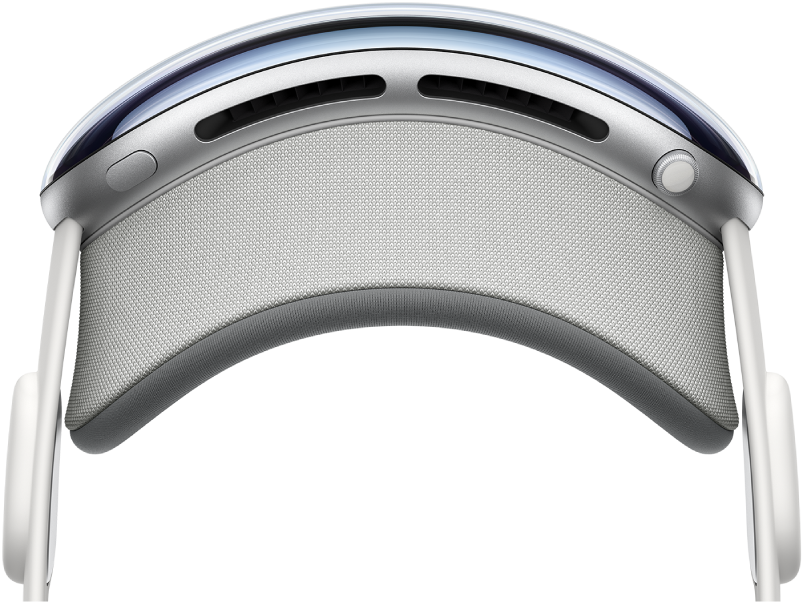


Different light seal sizes and shapes are designed to accommodate various face structures. Choosing the right one ensures the headset sits evenly without gaps or excessive pressure.
Headbands
The Vision Pro typically uses adjustable headbands to support the headset’s weight. These bands stabilize the device and keep it aligned with your eyes.

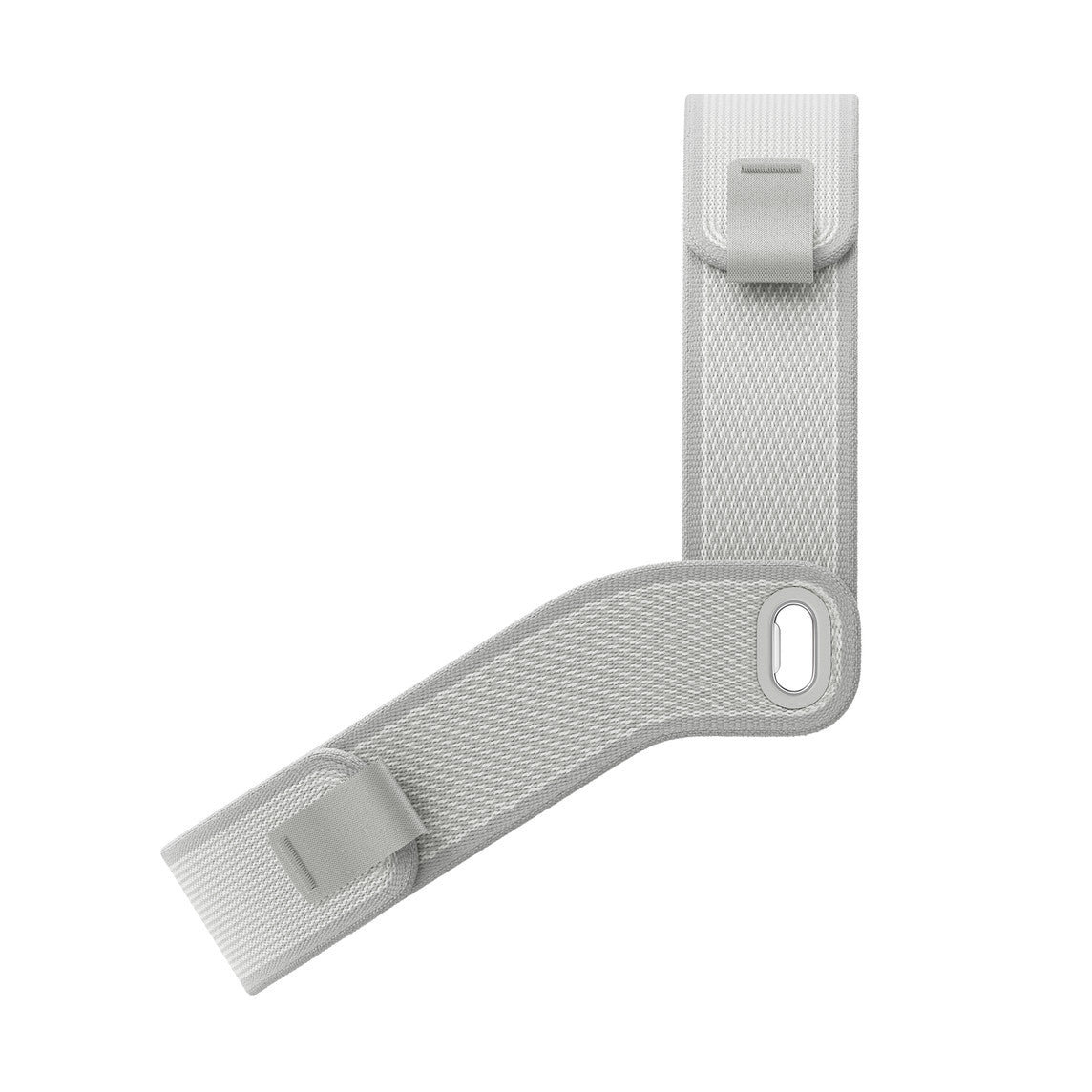
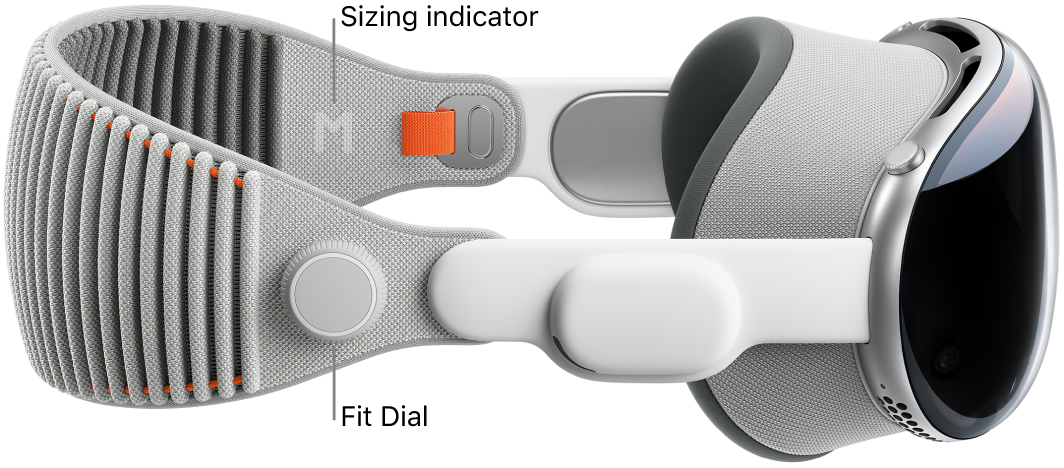
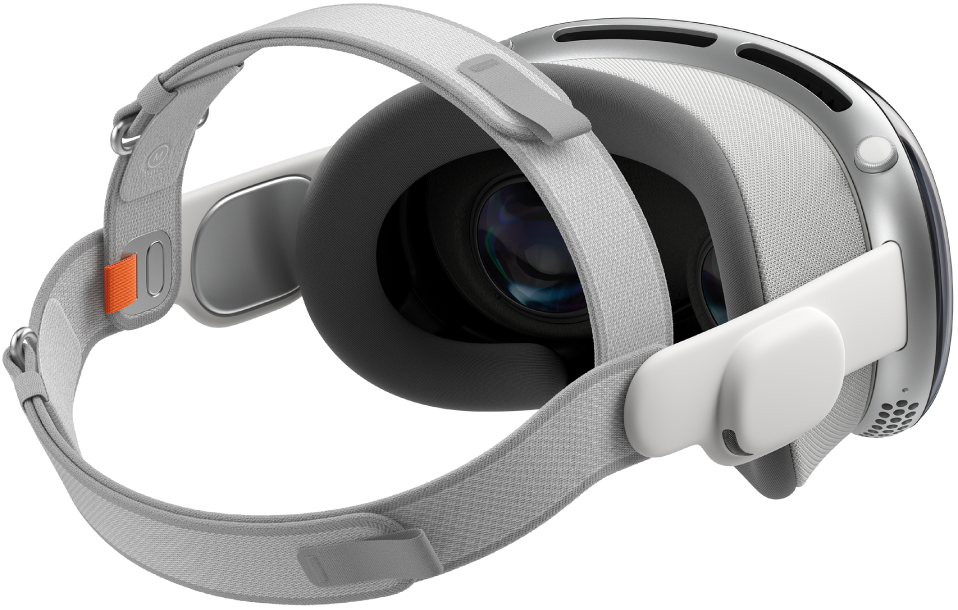
Depending on the band type, support may come from the back of the head, the top, or both. Proper adjustment distributes the weight across the head instead of concentrating it on the face.
Step-by-step guide to fitting Vision Pro
Following a consistent fitting routine helps achieve the best results.
1. Start with a clean and neutral position
Before putting on the headset:
- Make sure your face is clean and dry.
- Remove bulky accessories around the temples or forehead.
- Tie back long hair if it interferes with the straps.
This ensures the light seal sits evenly against the skin.
2. Position the light seal on your face
Hold the headset with both hands and gently place the light seal against your face.
- Center it around your eyes.
- Make sure it rests evenly across the forehead, cheeks, and nose.
- Avoid pressing too hard at this stage.
The headset should feel balanced rather than pushed into the face.
3. Adjust the headband gradually
Once the headset is in position, adjust the headband.
- Tighten the band slowly until the headset feels secure.
- Avoid over-tightening, which can cause pressure around the eyes or temples.
- Check that the weight feels supported by the head, not just the face.
A correct adjustment keeps the headset stable even when you move your head slightly.
4. Check visual alignment
After securing the headset, look at the interface.
- Text should appear sharp and centered.
- The display should not look tilted or off-axis.
- There should be minimal light leakage from the sides.
If the image looks blurry or distorted, slightly reposition the headset and readjust the band.
5. Run the built-in calibration if prompted
Vision Pro may guide you through eye tracking or display alignment.
Follow the on-screen instructions carefully. Proper calibration ensures the system understands your gaze and hand movements accurately.
Signs that the headset is not fitted correctly
Even small alignment issues can affect the experience. Watch for these common signs.
- Blurry text or uneven sharpness across the display
- Eye strain after short sessions
- Pressure on the nose or cheeks
- Light entering from the sides
- Headset slipping when you move
If you notice any of these issues, remove the headset and repeat the fitting steps.
Tips for long-term comfort
A good fit is not only about the initial setup. Small adjustments can improve comfort during daily use.
Balance weight across the head
The headset should feel supported by the top and back of the head rather than pressing heavily on the face.
- Adjust straps so the device sits slightly higher rather than hanging low.
- Re-tighten gently if the headset starts to slip.
Take short breaks
Even with a perfect fit, extended sessions can cause fatigue.
- Remove the headset every 30–60 minutes.
- Allow your eyes to refocus on distant objects.
- Stretch your neck and shoulders.
These habits reduce strain and improve long-term comfort.
Keep the light seal clean
A clean light seal improves both hygiene and comfort.
- Wipe it regularly with a soft, dry cloth.
- Avoid harsh cleaning products.
- Replace it if it becomes worn or loses shape.
A well-maintained seal continues to fit properly over time.
Adjusting for different face shapes
Faces vary widely, and what feels comfortable for one person may not work for another. Vision Pro’s interchangeable light seals are designed to address this.
You may need a different size if:
- The seal presses too tightly on the cheeks or nose
- Light leaks from the sides
- The headset tilts forward or backward
Trying another light seal size often resolves these issues more effectively than over-tightening the straps.
Fitting with glasses or vision inserts
Some users require vision correction while using the headset.
- Use approved vision inserts designed for the device.
- Avoid wearing regular glasses inside the headset unless specifically supported.
- Ensure the inserts are properly attached before fitting the headset.
A correct insert setup maintains both comfort and visual clarity.
Maintaining a consistent fit over time
As you use the Vision Pro regularly, small habits help maintain a stable fit.
- Put on the headset the same way each time.
- Check strap tension before starting a session.
- Replace worn components when necessary.
Consistency reduces the need for frequent readjustments and improves overall experience.
Long-term comfort and everyday usability
A correctly fitted Vision Pro becomes easier to use over time. Once you find the right combination of light seal and headband adjustment, the headset should feel stable, balanced, and clear with minimal effort.
For many users, the learning curve is short. After a few sessions, fitting the headset becomes a quick, routine step. This consistency allows the focus to shift from adjusting hardware to enjoying applications, media, and workspaces in the spatial environment.
Over the long term, comfort and proper alignment play a central role in how often the headset is used. A well-fitted device encourages longer, more productive sessions, while a poor fit can discourage regular use. Taking the time to adjust the Vision Pro correctly ensures a more natural and enjoyable experience each time it is worn.
